Strikeborn Controls — All Platforms
Strikeborn supports controller, PC and mobile — that much is official, straight from the game description. The specific PC binds below are community-compiled from launch showcases, because SSSStudio has not published an official keycard yet. Treat every binding as the community’s best reconstruction and rebind in-game to taste; the system (what each input category does) is verified even where the exact default key is not.
PC controls
| Action | Input (community) | Notes |
|---|---|---|
| M1 string | Left click | Four hits: hit three uppercuts, hit four slams down — the reversed string |
| Skills 1–4 | 1 / 2 / 3 / 4 | Each skill has a grounded version; some have air versions |
| Directional variant | Hold S/back + skill | Confirmed variant layer — lab your kit’s table in an empty server |
| Dash | (movement key / double-tap) | Dash pips are a resource — they regen, so don’t burn all four to approach |
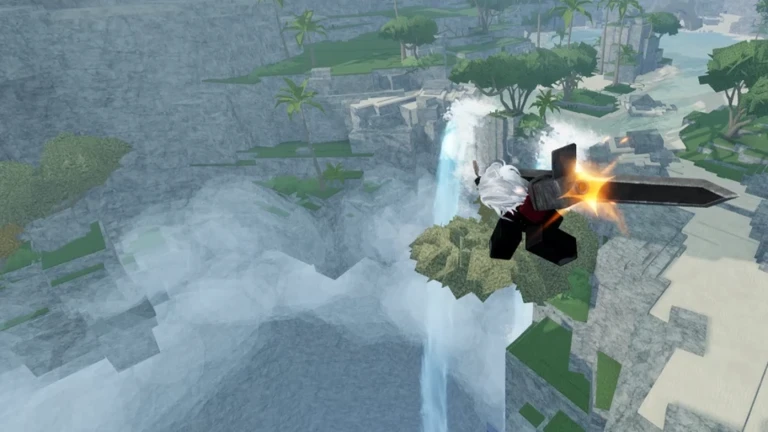
| Wall jump | Jump into a wall | The map’s cliffs make this free height; core to both approach and escape |
| Jump pads | Walk onto pads | Launch to high ground; your escape route on open stone |
| Shift lock | Shift lock toggle | Strongly recommended for Guts — camera control is part of his kit |
Why shift lock matters: Guts’ look-down kick tech (three M1s, look down, kick) is a camera move first. Free-aim players lose the conversion; locked-camera players land it. Yuji players can live without it, but the uppercut convert is cleaner locked.
Mobile controls
Mobile gets the full kit as virtual buttons: an M1/attack button, four skill slots, and dash/jump controls. Two honest notes for mobile players:
- Start with Yuji. Guts’ slower swings plus a thumb-driven camera is how you donate stocks — if you insist on the sword, raise your sensitivity and lab on an empty cliff for a full session before you queue.
- The uppercut convert (hit three, jump with them, one aerial skill) is fully doable on touch — it is a timing problem, not a button-count problem.
Controller
Controllers are officially supported. Community-reported mapping follows the standard Roblox fighting layout — triggers/click for M1, face/bumper buttons for the four skill slots, stick movement with sprint on the standard dash input. Two device-specific tips from launch sessions:
- Dead zones eat Guts’ uppercuts. If your third hit keeps dropping the launch, flatten the stick during the M1 string — diagonal drift changes the input window.
- Yuji first if you have never played a heavies character; his faster M1s forgive imprecise timing while you learn the reversed string.
The movement layer (all devices)
Movement is half of Strikeborn’s combat identity, and it is identical for every complete kit:
- Dash pips — a visible, regenerating resource. Approaching with zero pips means arriving with no escape.
- Wall jumps — chain jumps on any cliff face. Ten minutes of practice turns ledges into free repositioning.
- Jump pads — fixed launch points to high ground. Learn their positions before you learn any combo: they are also how you get dumped less.
What is not set in stone
The exact default binds, remapping options and any console-specific layouts are unconfirmed — no official keycard has shipped and there are no badges or tutorials documenting them yet. If your in-game menu disagrees with the table above, your menu is right. Once you know your binds, the combat guide tells you what to drill — and the getting-started guide has the full first-session practice order.