Strikeborn Getting Started Guide
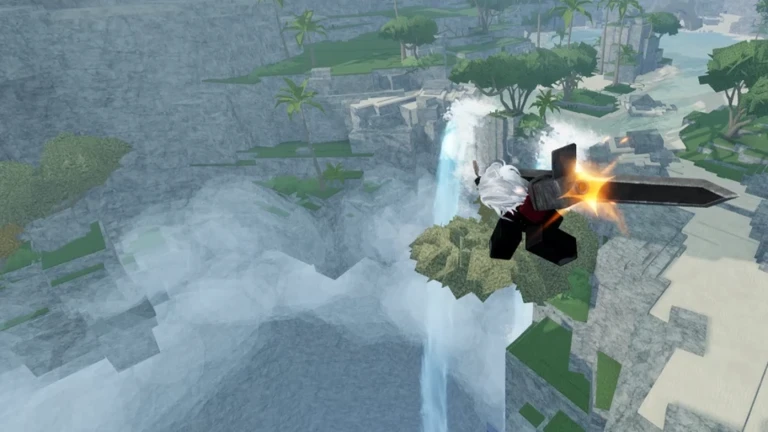
Strikeborn is a free-to-play anime battlegrounds fighter by SSSStudio: you pick a complete kit and fight in a vertical cliff-and-waterfall arena with wall jumps, jump pads and a real air-combo layer. The paid early-access buy-in is gone — the game opened to everyone on September 12, 2026. This guide covers your first session from install to your first converted air route. Every mechanic here comes from official showcases, the official listing and the v0.2.0 update log — where a detail is community-reported rather than official, we say so.
Before you queue: the remaining gates
Strikeborn no longer costs Robux to enter. Two gates from the launch window can still matter:
- A 16+ age gate in some regions — reported consistently during the paid launch window; an underage account simply fails to join, and a sibling’s account will not get around it. If you cannot join at all, this is the first suspect.
- Region checks and flaky public joins — several launch-day players could not join publicly but joined fine through a friend already inside. If the listing errors, that is the workaround, not a sign the game is offline.
Our Free to Play guide walks through both in detail, including join-failure fixes. One expectation check before you queue: the select screen shows four portraits, but only two — Yuji and Guts — are finished kits. The Jinchuriki and Gon slots are still in progress (Gon got his first real skill in v0.2.0).
First five minutes: read the HUD
The arena is vertical — cliffs, twin waterfalls, palms, a shrine roof — and the HUD reflects that:
- Dash pips sit near your health: dashes are a spending resource, not an infinite button. Burn them all to approach and you arrive with no escape option.
- Four skill slots (1–4 on PC) sit at the bottom. On a complete character every slot does something; the unfinished slots have little or nothing here — Gon gained his first base move in v0.2.0, Jinchuriki is still bare.
- Levels and shop panels exist but are cosmetic economy, not power. Nothing in the shop changes your M1 timing.
Pick a complete character (and only one of two makes sense)
- Yuji (Vessel Sorcerer) — fast M1s, a kick that doubles as a counter, the smoothest introduction to the air game. Best on mobile and PC.
- Guts (Black Swordsman) — a slow, long greatsword where tip spacing wins, plus the game’s only named grab (Carnage Grip). Best on PC with shift lock.
The tier list ranks both S-tier and explains the device math. If you only care about playing Naruto or Gon, know that both slots are still in progress — Gon has one skill (Janken Scissors, added in v0.2.0), Jinchuriki has none.
The practice order that actually works
Air routes win more games than button mashing, so spend your first session on movement before you chase 20-hit clips:
- Wall jumps (10 minutes) — run at the cliff walls and chain jumps until height feels free. This is the single biggest movement difference from flat-arena battlegrounds games.
- Jump pads (5 minutes) — learn where they launch you; they are your escape route when a Guts holds the open stone.
- One combo, not five (15 minutes) — land the M1 uppercut (hit three, not four), jump with the opponent, add one aerial skill, M1 again. Drill that single route until it is automatic. The combat guide has the full theory.
- Then queue. In a 100-player lobby, the player who can convert one clean route and edge-guard the ravine outperforms the player who mashes four skills.
What to ignore in week one
- The shop and accessories — cosmetics, not power. Do not dump extra Robux into emotes before you know you like the combat.
- Spins and emotes — randomized rewards with in-game rates; they do not change your kit.
- Codes as power — two codes exist (SBUPDATE1 and 15KLIKES, redeemable in the Shop), but codes here are celebration perks, not kit power. Anything you see on TikTok beyond the official announcements is unproven.
- “Fix lag” scripts — account theft. Lower graphics instead; 100-player servers with heavy particles punish low-end devices.
Where to go next
- Combat guide — M1 theory, air routes, directional variants and counters.
- Controls — PC, mobile and controller binds (community-compiled).
- Updates — the early-access timeline and the three-character condition for the free build.
- Community — the official Discord, where roster reveals land first.